

Chapter 1 of 19 Getting started
The first day
This guide follows one character from the first login onwards: a Warden who chooses the Way of the Body, a sword in hand and always in front of everyone. If you play another class, almost everything here works the same for you; where it does not, the guide says so.
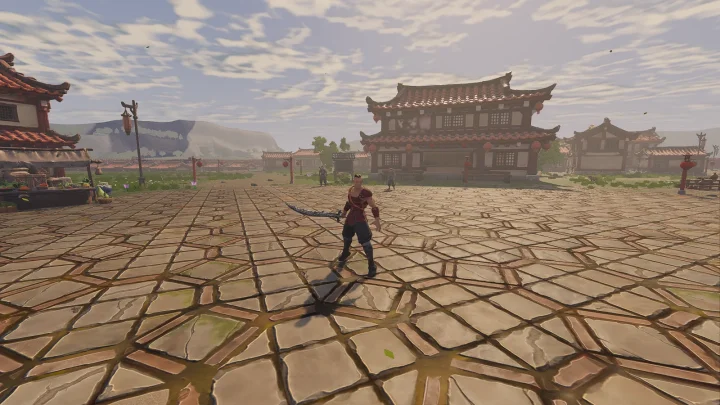
Kingdom and class
Before your first character you choose a kingdom: Hongsa, Geumsa or Cheongsa. You choose it once, and it holds for every character of the account. The chapter on kingdoms tells you what it changes.
Then you create the character. There are four classes, and each one can be played as a man or a woman:
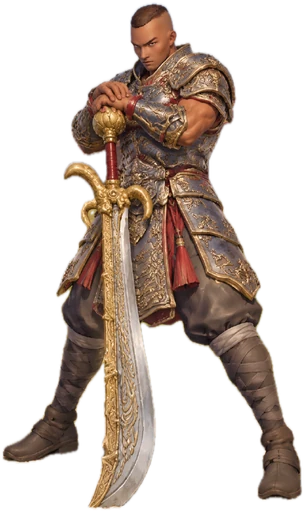
Warden
Heavy armour and blows that settle a fight.
Way of the Body, Way of the Will
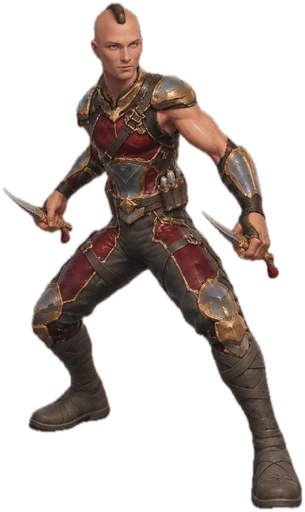
Wanderer
Quick and precise, strikes up close with blades or from afar with the bow.
Way of the Blade, Way of the Bow
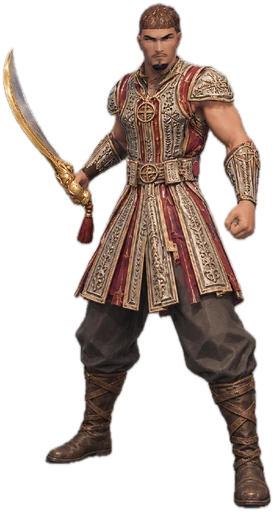
Engraver
Engraved blades and black arts.
Way of the Engraved Blade, Way of the Black Art
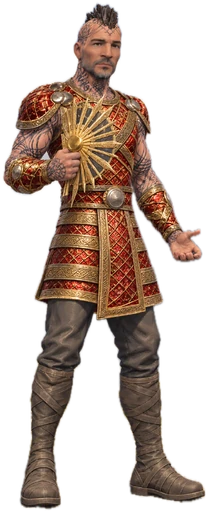
Weaver
Lightning, wards and healing for the whole party.
Way of the Weft, Way of Lightning
Give your character a name, from two letters up, and you are in. An account holds up to four characters.
Getting in
If the channel is full you join a queue, with your place and an estimate of the wait. If your connection drops for a moment, you get your place back.
Every new character starts in the capital of their kingdom with a Wooden Casket in the bag. Right click it to open it: inside are the first weapon and armour for your class, Traveller's Shoes, Sap and Stillness Draughts, and ten Riding Vouchers for the Stableman's horses. Put everything on before you walk out of the gate.
First steps
On your first login the game offers a short tour, ‘First steps’: it dims the screen and lights up one piece at a time, from your health to the chat. You can skip it, and see it again whenever you like from the Options, under Interface.
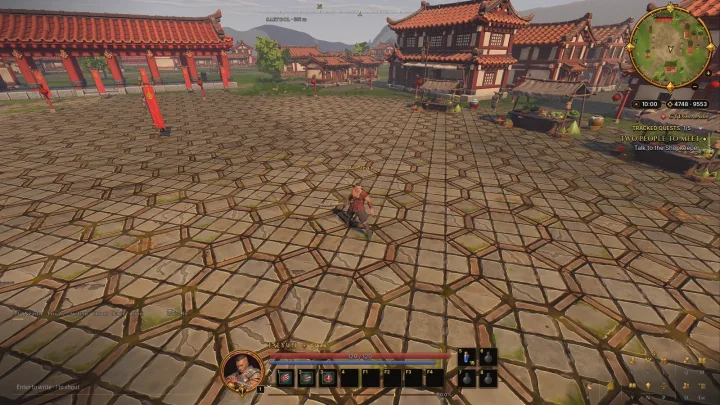
What you see on the screen:
- at the bottom in the middle, your portrait with the level, health in red, mana in blue, the experience bar and the quick bar;
- at the bottom right, the buttons of the windows, each with its key;
- at the bottom left, the chat;
- at the top right, the minimap, with the quests you follow under it;
- at the top left, the effects that are helping you and, when you have one, your party;
- at the top in the middle, the compass and, when you pick one, your target.
Moving
Click the ground to walk there, or use W A S D. Hold the right mouse button and drag to turn the camera, and use the wheel to bring it closer or further. On a laptop, a pinch on the trackpad zooms too.
The first five levels
The first quests of the main chain arrive one by one, and each of them takes you up exactly one level: from the first to the fifth you never have to hunt for experience. They teach the basics on the way. The Shopkeeper and her brother, the Armour Merchant, want to meet you; the Keeper of the gate has stray dogs to deal with; a weapon from a monster has to go in your hand and a draught on the quick bar. At level five Captain Seo-ra sends you to choose your Way.